

Presets
Save app volumes and outputs, and switch them automatically with Focus.
1.Create a preset
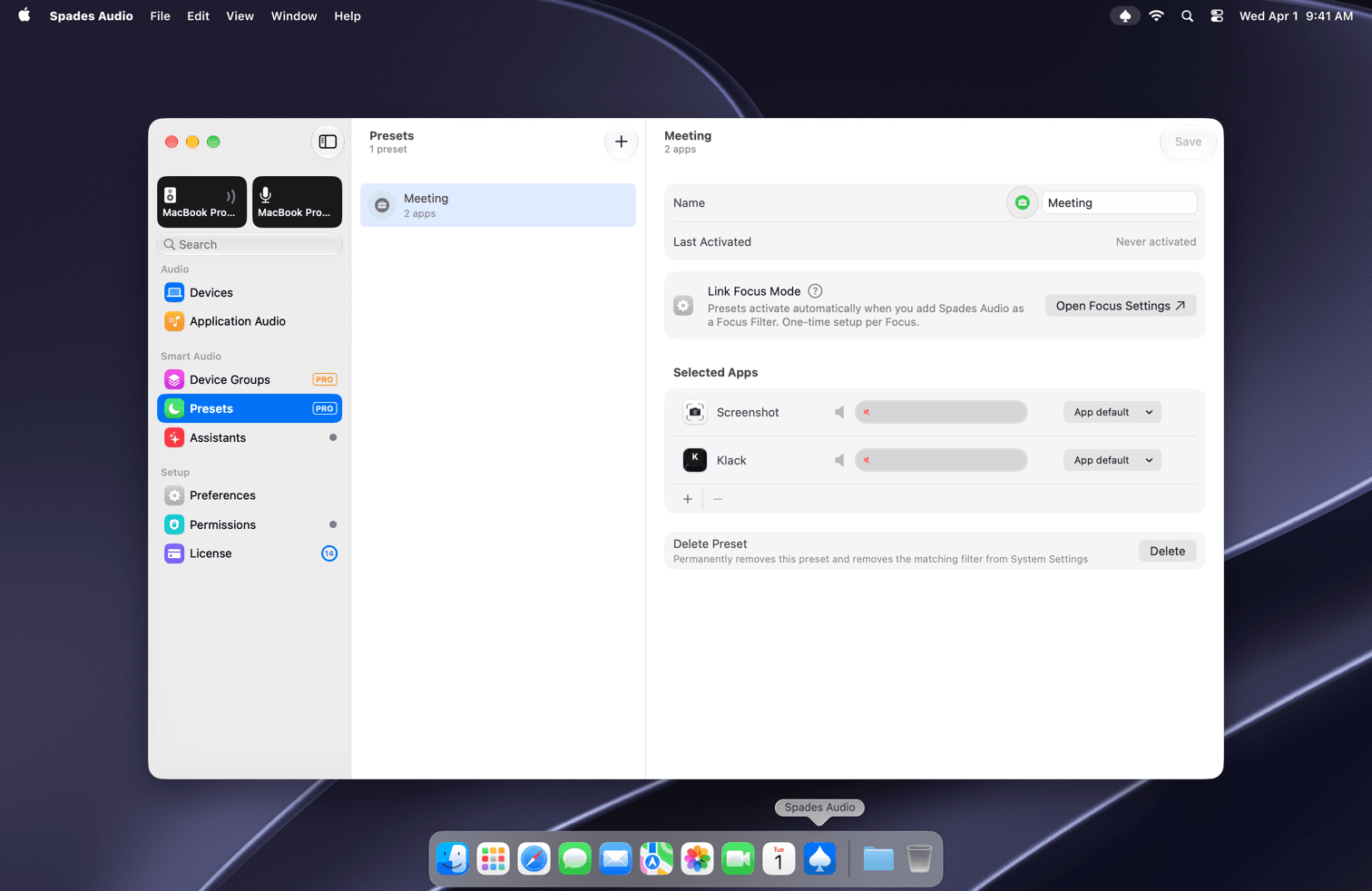
Open the main window and choose Presets under Smart Audio in the sidebar. Click + to add one, then give it a name and an icon.
2.Choose apps and levels
Under Selected Apps, add the apps the preset controls and set a volume and output device for each. For example, a "Work" preset with Teams on your headset and Music turned down.
3.Link a Focus mode
Presets can turn on by themselves. Add Spades Audio as a Focus Filter for a Focus mode (Open Focus Settings takes you there) and the preset activates whenever that Focus does. It's a one-time setup per Focus.
குறிப்புகள்
- Last Activated shows when a preset last ran, which is handy for checking that a Focus link works.
- Delete Preset also removes its Focus Filter from System Settings.