

Per-App Volume & EQ
Fine-tune volume, balance, boost, and equalizer settings for each app.
1.Open per-app controls
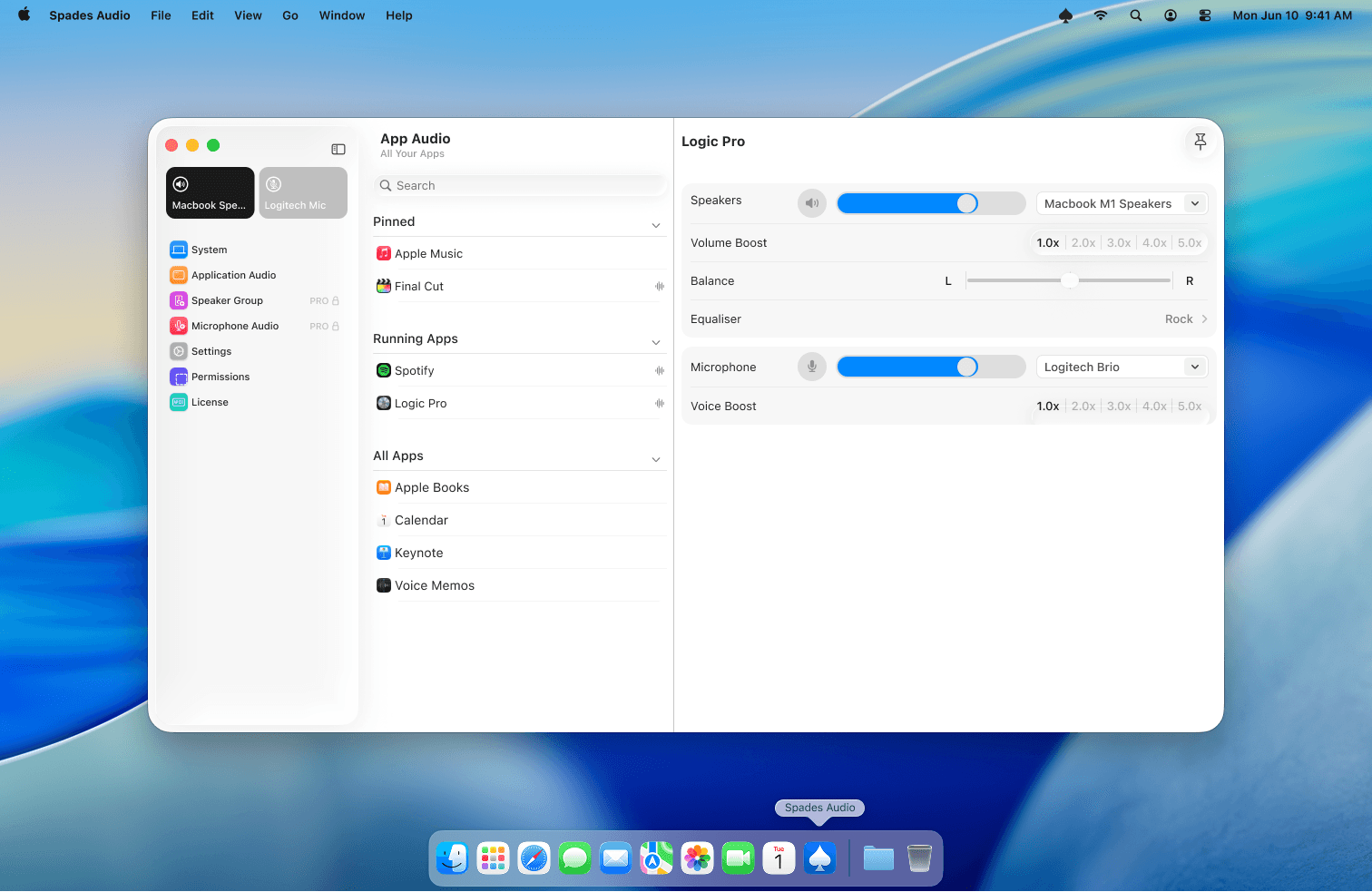
In the main Spades Audio window, select an app from the sidebar under Application Audio. You'll see its dedicated volume slider, output device selector, balance control, and volume boost options.
2.Volume boost
Need more volume than macOS normally allows? Use the Volume Boost slider to amplify output up to 5x for any app. This is a Pro feature — available during the free trial and with a Pro license.
3.10-band equalizer
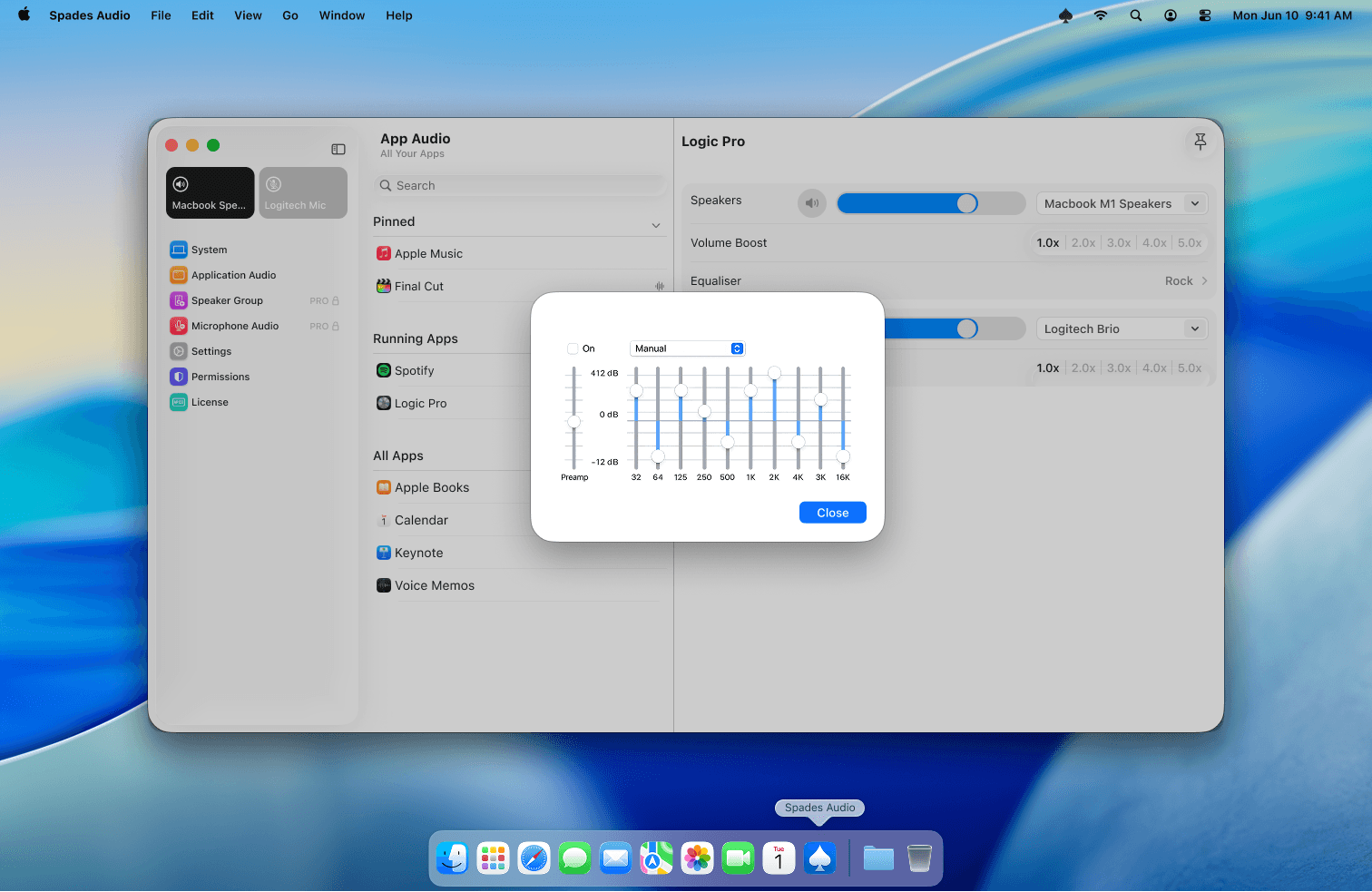
Open the EQ panel to shape the sound for any app. Choose from presets like Rock, Electronic, or Vocal, or switch to Manual mode for full control over all 10 frequency bands. Each app can have its own EQ profile.
Tips
- Volume Boost and EQ are Pro features. They're fully available during the 14-day free trial.
- EQ changes apply in real time — adjust while music is playing to hear the difference instantly.